The app isn't in the store under that name — here's what actually works
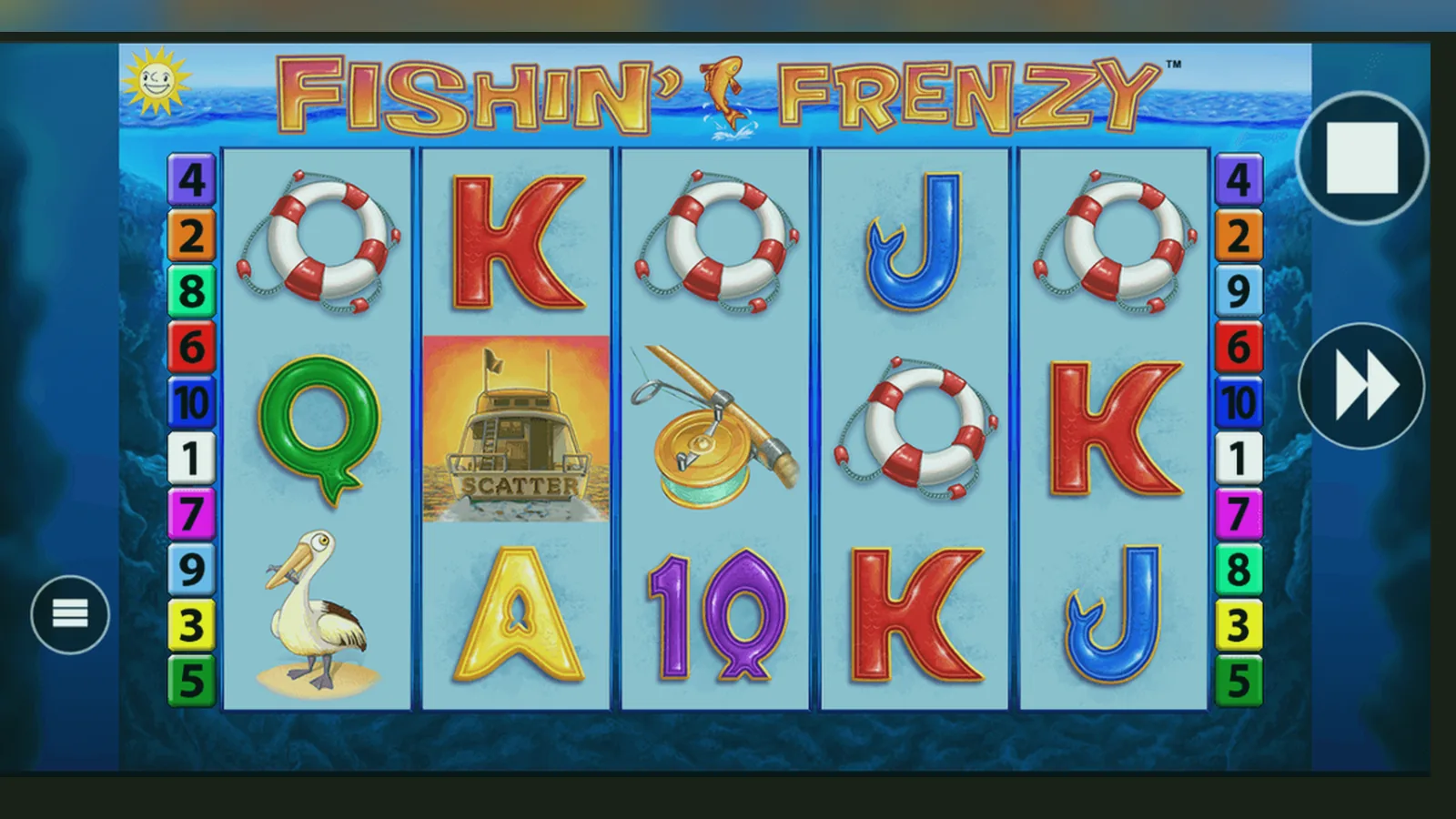
You tap «Fishin' Frenzy» into the Play Store search bar. The first result shows a cartoon fish, five stars, 10 million downloads. You hit install. Three days later your debit card statement lists £47.99 to a company in Malta you've never heard of, and the «game» still asks for another £9.99 to unlock the bonus round you saw in the screenshots.
That's the most expensive mistake beginners make when they look for a slot app in Britain: searching the store by game name instead of operator name. Fishin' Frenzy is a Blueprint Gaming slot, not a standalone app, and the real version only runs inside a UKGC-licensed casino platform. Everything else in the store results is either a social-casino clone that sells you nothing, or outright fraud.
What a real listing would look like if Blueprint published one
Blueprint doesn't release individual slot apps, but to understand what you're actually installing when you add a casino operator's app, here's the profile the game itself would carry — the maths and rules inside whichever wrapper you download.
Five screens every legitimate operator shows you first
Before you reach the reels, a licensed app or mobile site puts compliance and safety in your face. Here's the sequence you'll recognise on any UKGC-registered platform:
- **Age gate and identity check.** You enter your date of birth, postcode, and often the last four digits of your bank account for instant age verification through credit-reference data. Some operators ask for a photo of your driving licence or passport before you can deposit. This takes 24–48 hours if the automated check fails.
- **Deposit-limit prompt.** The law requires the site to ask you to set a daily, weekly, or monthly deposit cap before your first payment goes through. You can raise it later, but affordability checks kick in at £150 net deposits per month, pulling data from credit agencies at the first stage and requesting payslips or bank statements at higher thresholds.
- **Payment-method screen.** You see debit cards, PayPal, Apple Pay, Trustly (Open Banking), and paysafecard. No credit cards — they've been banned for gambling in the UK since April 2020. The method must be in your own name; someone else's card triggers an instant account suspension.
- **Game lobby with stake-cap notice.** If you're 18–24, a banner or pop-up explains the £2.00 maximum bet per spin. Players 25 and older see the £5.00 cap. This appears every session until you confirm you've read it.
- **Footer with UKGC licence number.** Scroll to the bottom of any screen and you'll see the operator's name, a licence number starting with «39» or «000-0» format, and a link to the UKGC public register. If that footer is missing or the number doesn't match the register, you're on an unlicensed site, which is illegal to use or advertise in Britain.
Demo play exists on most licensed sites, but many operators gate it behind the age check — you log in, verify you're 18+, then access free-play mode. Unlicensed clones let you spin immediately with no friction, which is the first red flag.
Four ways to install it, and what breaks in each
Here's every legitimate method to get Fishin' Frenzy on your phone in the UK, with the steps and the trade-offs.
| Method | Steps | Risk | |
|---|---|---|---|
| **Browser (no install)** | 1. Open Chrome, Safari, or Firefox. 2. Go to a UKGC-licensed operator. 3. Log in (or verify age for demo). 4. Search «Fishin' Frenzy» in the lobby. 5. Tap to load the game. | Uses mobile data every session; no offline mode; logout required for device sharing. | → |
| **Add to home screen (PWA)** | 1. Load the operator site in your browser. 2. Tap the share icon (Safari) or three-dot menu (Chrome). 3. Select «Add to Home Screen.» 4. Name it and confirm. 5. Launch from the icon. | Not a native app — still runs in a browser wrapper; some operators disable this feature and force you to bookmark instead. | → |
| **Operator app (Play Store / App Store)** | 1. Search the operator's brand name (e.g., «Betfred Casino,» «Sky Vegas»). 2. Check the developer matches the site footer. 3. Install. 4. Open and log in with your existing account or register. 5. Navigate to slots and find Fishin' Frenzy. | Requires storage (150–300 MB for the full app); update prompts can interrupt play; some operators run web views inside the app shell, making it no faster than the browser. | → |
| **APK sideload (Android only)** | 1. Enable «Install unknown apps» in Android settings for your browser. 2. Download the APK from the operator's own site (never a third-party mirror). 3. Open the file and confirm the install. 4. Launch and log in. | Google Play Protect flags unsigned APKs; you bypass automatic updates; malicious APKs grant themselves SMS and camera permissions you didn't approve; this method only makes sense if the operator isn't in the Play Store, which is rare for UKGC-licensed brands. | → |
What your phone actually needs to run it
Fishin' Frenzy isn't a demanding game — it's HTML5 video slots, not a 3D engine — but older devices struggle with the animations and sound when you're on a weak connection.
- **Operating system:** Android 8.0 or later for operator apps; iOS 13.0 or later for App Store casino apps. Browser play works on older versions but expect stuttering reels and delayed tap response on anything pre-2019.
- **RAM:** 2 GB minimum; 3 GB recommended if you switch between the game and other apps without closing tabs.
- **Storage:** 200 MB free for a typical operator app, plus cache for game assets. Browser play caches 50–100 MB per session, which clears when you close the tab unless the site uses service workers.
- **Connection:** 3 Mbps download speed keeps the reels smooth; slower connections cause the game to pause and buffer, especially during the free-spins feature when the animation layers stack up. Wi-Fi is better than 4G for long sessions to avoid data-plan overages.
- **Screen:** 5-inch diagonal minimum; the UI is finger-friendly but tiny screens make the paytable hard to read. Landscape mode is optional — Blueprint designed the layout to work in portrait.
If you're on an iPhone 8 or a Samsung from 2018, the game runs but drains the battery faster than newer handsets because the processor works harder to decode the graphics. A full hour of play at £2.00 per spin costs roughly 15–20% battery, more if your brightness is maxed.
What the app actually does when you open it
Inside a licensed operator app or mobile site, Fishin' Frenzy behaves like any other slot in the lobby — it's not a standalone experience. Here's the user flow:
- You tap the game tile. The app checks your login session and balance.
- A loading screen appears (usually 2–4 seconds on Wi-Fi) while the game client connects to Blueprint's server and pulls your session token from the operator's back-end.
- The reels load in demo mode if you have no balance, or real-money mode if you've deposited. A toggle at the top lets you switch between the two, though some operators hide demo behind a separate menu.
- You adjust your stake (10p to £2.00 or £5.00 depending on your age) and hit spin. The RNG result comes from Blueprint's server; your device just renders the animation of the reels stopping at the predetermined outcome.
- Wins credit your balance instantly; the amount updates in the top-right corner. If you trigger free spins, the game enters a bonus mode that auto-plays the feature until it ends.
- You tap the hamburger menu to view the paytable, rules, or game history. Some operators let you set auto-play, but it's capped at 100 spins and stops on any win over £5.00 (another UKGC requirement).
- When you exit, the app saves your balance and logs your session duration for the operator's safer-gambling reporting.
The app doesn't store your card details locally — payment data lives on the operator's PCI-compliant server. If you uninstall the app, your balance and account stay intact; reinstalling and logging in brings everything back.
What changed in the most recent version
Blueprint pushes updates to casino operators, who then roll them into their apps and mobile sites. The October 2026 release included:
- **Stake-cap enforcement at the game level.** Previously, the operator's platform blocked bets above the legal limit; now the game client itself greys out stakes over £2.00 or £5.00 based on your verified age. This prevents accidental breaches during lag or app switching.
- **Session reminders every 30 minutes.** A non-intrusive banner at the top of the screen shows your total wagered and time elapsed. You can dismiss it, but it reappears at the next interval. This aligns with the UKGC's October 2026 guidance on «frictionless safer gambling.»
- **Faster load times on slower connections.** Blueprint reduced the initial asset download from ~6 MB to ~4 MB by compressing reel-strip textures and preloading only the base game; free-spins assets load on demand when you trigger the feature.
- **Bug fix for landscape-mode tap zones.** On some Android devices running older operator apps, the spin button's hit area extended 10 pixels too far right, causing accidental taps when you meant to open the menu. That's corrected in this build.
You won't see a version number inside the game itself — updates happen server-side and apply to everyone the moment Blueprint deploys them. The operator app version in your phone's settings might still say 4.2.1 or whatever it was before, because the app shell hasn't changed, only the game client it loads.
How to recognise a fake clone and which permissions scream danger
Clones and scam apps copy Fishin' Frenzy's name and artwork but connect to nothing legitimate. Here's what separates real from fake before you install:
- **Developer name in the store.** A real operator app lists the casino brand (Betfred, Sky Betting & Gaming, LeoVegas) as the developer. A fake lists «Fishin Frenzy Studio,» «Slots Pro Games,» or a single-name developer with no other apps in their portfolio.
- **App permissions.** A legitimate casino app asks for storage (to cache assets), network access, and optionally location (for geo-blocking checks, though most do this server-side now). A clone asks for SMS, contacts, camera, and microphone — none of which a slot needs. If you see «read SMS» in the permissions list, it's harvesting two-factor authentication codes or card verification texts.
- **In-app purchase labels.** Real casino apps show deposits in GBP with transparent amounts: «£10.00,» «£25.00,» «£50.00.» Clones sell «coin packs» with vague labels like «Mega Bundle» or «VIP Gold,» pricing them in dollars even when your App Store is set to the UK.
- **Missing footer or fake licence number.** Open the app and scroll to the settings or «About» screen. A licensed operator displays their UKGC licence number and a link to the register. Clones either omit this entirely or show a nonsense string like «Licence: 12345678» with no verifiable reference.
- **Unrealistic ratings and review text.** A clone's reviews read like copy-paste: «Best game ever!» «Love it!» «Five stars!» with no mention of KYC delays, withdrawal times, or bonus wagering — the friction points real players always complain about. Genuine casino apps have mixed reviews because the first withdrawal takes 48 hours and affordability checks annoy high rollers.
One more trap: third-party sites offering «modded APKs» or «unlimited coins» versions of Fishin' Frenzy. These inject malware that logs your keystrokes when you later enter card details on a real casino site. The file size is often 30–50 MB larger than the official app because the malicious code is bundled inside. Stick to the Play Store, App Store, or the operator's own website for direct APK downloads — nowhere else.
FAQ
Can I play Fishin' Frenzy offline after downloading the app?
No. The game requires a live connection to Blueprint's RNG server for every spin. The app caches graphics and sound, but the outcome of each round is determined server-side and sent to your device in real time. Offline play only exists in social-casino clones that aren't connected to real-money gambling — those let you spin with fake coins but never pay out GBP.
Why does the operator app ask for my location if I've already verified my age?
Some apps use GPS or IP-based geo-blocking to confirm you're physically in the UK when you play, not just a UK resident abroad. The UKGC licence only covers players on British soil. Most operators handle this check server-side through your IP address, so location permission is optional and rarely enforced on mobile. If you deny it, the app still works.
What happens if I install an APK from a mirror site instead of the operator's domain?
You risk installing a repackaged version with added malware. Even if the mirror claims to host the «official» file, there's no way to verify it hasn't been tampered with. Malicious APKs request SMS and contacts permissions to steal two-factor codes and card-verification texts, then forward your login credentials to a phishing server. The legitimate operator won't help you recover losses if you used an unofficial APK, and your bank may refuse a fraud claim because you bypassed the store's built-in checks.
Do I need to update the app myself or does it happen automatically?
App updates through the Play Store or App Store are automatic if you've enabled that setting, but the game client inside updates server-side without requiring a new download. Blueprint can tweak the RTP, add features, or fix bugs in Fishin' Frenzy and every player sees the changes immediately, regardless of their app version. You'll only need to update the operator app when they change the lobby UI or add payment methods — the game itself stays current without your input.